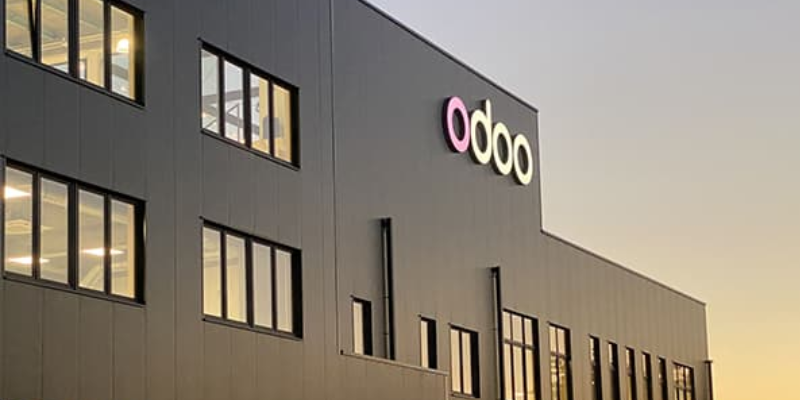
Odoo Software Odoo’s main global headquarters is in Belgium, specifically in Grand-Rosière (Chaussée de Namur 40, 1367 Ramillies). They also maintain a significant, frequently cited presence in Louvain-la-Neuve (Rue du Laid Burniat 5, 1348). The company, founded in 2005, operates a decentralized network of international subsidiary offices.
Key Odoo Office Locations:
Headquarters (Belgium): Grand-Rosière & Louvain-la-Neuve.
US Offices: San Francisco (California), Buffalo (New York).
International Offices: India (Gandhinagar), Hong Kong, Dubai (UAE), Luxembourg, Mexico City, Curitiba (Brazil), Valencia (Spain), Milan (Italy), and others. [1]
Odoo specializes in all-in-one open-source business software, including CRM, e-commerce, accounting, and inventory.
Moreover, the WordPress community and theme developers are actively contributing to a growing library of block patterns, making it easier for users to find a pattern that suits their needs. Whether you’re building a landing page, a photo gallery, or a complex layout, there’s likely a block pattern ready to use. This democratizes design for non-technical users while offering developers a way to extend WordPress functionality and provide more options to their clients.

The Local Account Executive at Odoo Inc Is Luke Hoepfinger in the Buffalo Ny Office 14202 Phone 716-218-3383 E-mail lukho@odoo.com
Summary of Odoo items in document
Odoo facts & pricing
- What Odoo is: modular ERP/business platform (CRM, Sales, Accounting, Inventory, MRP, HR, eCommerce, Website, Project, etc.).
- Editions: Community (open source, no license fee) vs Enterprise (paid subscription with added features/support).
- Enterprise hosting options: Odoo Online (SaaS), Odoo.sh (PaaS), or On‑Premises.
- Customization: Online is more restricted; Odoo.sh/On‑Prem allow custom modules/integrations.
- US pricing table:
- One App Free: $0 (one app, unlimited users)
- Standard: $31.10/user/mo (annual) or $38.90/user/mo (monthly)
- Custom: $61.00/user/mo (annual) or $76.20/user/mo (monthly)
- Pricing notes: pricing varies by billing term; may have first-year discounts; Odoo.sh hosting is separate from Enterprise license cost.
Cost considerations beyond the subscription
- Implementation services (config/process/testing/training)
- Data migration
- Integrations & custom development
- Hosting/infrastructure (Odoo.sh fees or your own servers/cloud for on‑prem)
- Ongoing support and upgrade planning (especially off Odoo Online)
Questions to scope/prices your scenario
- Number of paying users
- Required modules
- Need for custom modules/integrations vs out-of-the-box
- Hosting preference (Online / Odoo.sh / On‑Prem)
- Needs like multi-company, advanced reporting, external API access
On‑premises: how it works & responsibilities
- Flow: browser → reverse proxy (HTTPS) → Odoo server → Postgres + file store
- You manage infrastructure/scaling, security hardening (incl.
dB filter), backups/DR, monitoring - Licensing: Enterprise on premises typically implies Custom plan; Community can be on‑prem but self-supported
- Upgrades: not automatic; planned/testing required; custom modules must be made compatible
Multi-database (“multi-tenant”) explanation
- Odoo can host multiple databases on one server
dB filtercontrols which database matches a given hostname/request (important for websites/portals)
Docker & Docker Compose guidance
- What Docker is (containers) and why used for Odoo
- When Docker is suitable (small server vs production) and common pitfalls
- Single-server Docker Compose setup (example):
- Minimal illustrative
docker-compose.yml(Postgres + Odoo + volumes, port 8069) - Notes: pin versions, change passwords, use volumes, don’t expose 8069 publicly in production
- Production checklist + dedicated Backups checklist and Security checklist
- Additional “conceptual” explanation of components, how startup works, and “production-ish” additions (reverse proxy +
proxy mode=True, monitoring, etc.)
- Minimal illustrative
Odoo Software: Facts & Pricing (Quick Reference)
Odoo is a modular business management/ERP platform with apps covering CRM, Sales, Accounting, Inventory, Manufacturing (MRP), HR, eCommerce, Website, Project, and more. Organizations typically choose between the free open-source Community edition and the paid Enterprise edition (sold as subscription “plans”).
Key facts (what you’re buying)
- Two editions: Community (open source, no license fee) and Enterprise (commercial subscription with official support and additional features/apps). Odoo states you can switch editions.
- Enterprise hosting options: Odoo Online (SaaS), Odoo.sh (PaaS), or On-Premises (self-hosted).
- Customization constraints differ by hosting: Odoo Online emphasizes simplicity and restricts custom code/third-party modules; Odoo.sh and On-Premises are used when custom modules, integrations, or deeper control are needed.
Official pricing (United States)
| Plan | Price (per user / month) | What it typically includes (high level) |
| One App Free | $0 (one app, unlimited users) | Use a single Odoo app at no cost (intended for very simple single-app use). |
| Standard | $31.10 per user/month (annual billing) or $38.90 per user/month (monthly billing) | All apps on Odoo Online (SaaS). Includes hosting, maintenance, and support per Odoo’s pricing page. |
| Custom | $61.00 per user/month (annual billing) or $76.20 per user/month (monthly billing) | All apps; support Odoo Online, Odoo.sh, or On-Premises. Includes extra capabilities called out by Odoo such as Studio, multi-company, and external API access. |
Notes: Odoo indicates plan pricing can vary by billing term (monthly vs annual) and may include first-year discounts; Odoo also notes Odoo.sh hosting cost is separate from the Enterprise license price.
Other costs to budget for (beyond subscription)
- Implementation services: configuration, process design, testing, and training are commonly purchased from an Odoo partner or internal team. Public estimates vary widely; many sources cite small projects in the tens of thousands of dollars and larger/more customized rollouts into six figures.
- Data migration: cleaning/importing customers, products, chart of accounts, inventory, etc.
- Integrations & custom development: connecting to eCommerce, shipping, payment gateways, EDI, BI tools, etc.
- Hosting/infrastructure (if not Odoo Online): Odoo.sh hosting fees or your own server/cloud costs for On-Premises.
- Ongoing support: internal admin time and/or partner support retainers; plus, upgrade planning if you are not on Odoo Online.
To price this for your situation
- How many paying users will need access?
- Which modules are must-haves (e.g., Accounting, Inventory, MRP, POS, eCommerce)?
- Do you need custom modules/integrations or is out-of-the-box acceptable?
- Preferred hosting: Odoo Online (simplest), Odoo.sh (developer-friendly), or On-Premises (full control)?
- Do you require multi-company, advanced reporting, or external API access?
On‑premise Odoo means you run the Odoo application and its database on infrastructure you control (your own servers or your own cloud subscription). Odoo calls this “On‑Premises using your own infrastructure,” and it’s the option with the most control—plus the most responsibility.
How it works (end‑to‑end)
- Users connect in a browser to your company URL (e.g.,
erp.yourcompany.com). - A reverse proxy (commonly Nginx) terminates HTTPS and forwards traffic to Odoo.
- The Odoo server (Python app) runs as a service (or in containers) and serves the web UI and APIs.
- Odoo reads/writes business data in a PostgreSQL database and stores attachments in a file store on disk. Odoo’s deployment docs describe Postgres connectivity and the multi-database (“multi-tenant”) behavior.
What you’re responsible for (on‑prem)
- Infrastructure & scaling: server sizing, CPU/RAM, workers, load balancing if needed.
- Security hardening: firewalling, TLS certs, protecting the database manager, and setting
dB filtercorrectly if multiple databases are accessible. - Backups & disaster recovery: database + file store backups, retention, restore testing.
- Monitoring: uptime, logs, performance, disk space.
Licensing implication (important)
If you want Odoo Enterprise features on‑prem, Odoo indicates you typically need the Custom plan (the one that allows Odoo.sh and On‑Premise).
(Community edition can also be run on‑prem without license fees, but you’re fully self-supporting.)
Upgrades on‑prem (how updates happen)
On‑prem upgrades are not automatic: you plan downtime, request/test an upgraded database, ensure any custom modules are compatible, and then upgrade production. Odoo’s upgrade documentation explicitly notes the process differs by hosting type and warns that custom modules must be updated before upgrading.
If you tell me(1) Community vs Enterprise,(2) expected users, and(3) whether you’ll use Docker, I can outline a “typical reference architecture” for your scenario (single server vs split app/DB, etc.).
That sentence was me summarizing a specific point from Odoo’s own on‑premise “System configuration / deploy” documentation: Odoo can run more than one database on the same Odoo server, and it needs rules for which database to use for a given web request.
Here’s what it means in plain terms:
1) “Postgres connectivity”
Odoo stores its data in PostgreSQL, and in on‑prem deployments you configure how Odoo connects to Postgres (e.g., host/port/user/password). Odoo’s deploy doc has a PostgreSQL section describing connectivity defaults/considerations (e.g., local connections by default).
2) “Multi-database (“multi-tenant”) behavior”
Odoo is “multi-tenant” in the sense that one Odoo server can host multiple separate Odoo databases (often one database per company/client/environment). Odoo’s doc explicitly says:“Odoo is a multi-tenant system: a single Odoo system may run and serve a number of database instances.”
3) Why dB filter matters
If multiple databases are available, Odoo needs a rule to decide which database matches the hostname (domain) a user is visiting—especially for website/portal pages where the user isn’t logged in yet. That’s what dB filter is for (it’s a regex match, and can use placeholders like %h hostname and %d subdomain).
If you tell me whether you plan to run one database only or multiple databases (e.g., prod + staging, or multiple clients), I can translate this into the exact recommended setup pattern for your case.
Docker is a tool for packaging and running software in “containers.” A container is like a lightweight, isolated mini‑environment that includes your app plus the exact libraries/settings it needs, so it runs the same on a laptop, a server, or in the cloud.
For Odoo on‑prem, using Docker usually means you run:
- an Odoo container (the application), and
- a PostgreSQL container (the database), often defined together in a docker-compose file so they start/stop as a unit.
Why do people use Docker for Odoo
- Faster setup and more repeatable installs (less “it works on my machine”).
- Easier upgrades/rollbacks (swap container image versions, keep data volumes).
- Cleaner separation between app and database.
What Docker does not remove You still need to manage backups, security, updates, and server capacity—Docker just standardizes how the services are packaged and started.
If you tell me whether this is for a single small server or production with multiple users, I can recommend whether Docker is a good fit and what the simplest layout is (1 host with 2 containers vs split app/DB).
Docker can be suitable for both a small single server and production—it’s widely used in production—but whether it’s a good fit depends on how much operational rigor you can apply.
Suitable for a small server when…
- You want a simple, repeatable install (Odoo + Postgres via
docker compose). - You’re okay keeping it single-host (no cluster), with basic backups and monitoring.
- You don’t want to hand-install and maintain Python/system dependencies.
Suitable for production when…
- You treat it like production ops: patching, monitoring, log management, backups/restore testing, and resource limits.
- You separate concerns as needed (common pattern):
reverse proxy (Nginx) + Odoo app container(s) + Postgres (managed or dedicated) + backups - You have a plan for upgrades (test in staging, then roll forward).
Common production pitfalls (not Docker-specific, but Docker makes it easier to overlook)
- Not backing up both Postgres and the Odoo files tore/volumes.
- Putting Postgres in the same container stack without enough disk/IOPS planning.
- No staging environment to validate Odoo upgrades/custom modules.
If you tell me roughly # users and whether you need custom modules, I can recommend one of three setups: (1) single-server compose, (2) split app + managed DB, or (3) multi-app with load balancer.
Single-server Docker Compose setup (example)
This is a common single-host pattern: one server runs PostgreSQL and Odoo as separate containers, using volumes so data persists. Optionally, a reverse proxy (like Nginx) is added later for HTTPS.
Minimal docker-compose.yml (illustrative)
| version: “3.8” services: db: image: postgres:15 environment: POSTGRES_DB: odoo POSTGRES_USER: odoo POSTGRES_PASSWORD: change_me volumes: – db-data:/var/lib/postgresql/data odoo: image: odoo:17 depends_on: – db ports: – “8069:8069” environment: HOST: db USER: odoo PASSWORD: change_me volumes: – odoo-data:/var/lib/odoo volumes: db-data: odoo-data: |
- Pin versions (example uses Postgres 15 and Odoo 17) rather than using “latest.”
- Change passwords and treat them as secrets (don’t leave them in plaintext in shared files).
- Volumes (db-data, odoo-data) keep your database and Odoo filestore persistent if containers are recreated.
- Ports: exposing 8069 directly is fine for testing; for production you typically put Nginx/HTTPS in front of Odoo and restrict direct public access to 8069.
Backups checklist (DB + filestore)
- Back up Postgres (logical dump or physical backup) on a schedule.
- Back up the Odoo files store (the persistent volume for /var/lib/odoo), and keep it consistent with the DB backup window.
- Store backups off-server (separate host/bucket) with retention (e.g., daily/weekly/monthly).
- Encrypt backups at rest and in transit; limit who can read them.
- Test restores regularly: spin up a temporary stack and verify you can restore DB + file store and log in.
- Document RPO/RTO: how much data loss is acceptable (RPO) and how fast you must recover (RTO).
Security checklist
- Network exposure: do not expose Postgres publicly; restrict it to the Docker network and/or server firewall rules.
- HTTPS only: put a reverse proxy in front; redirect HTTP to HTTPS; keep TLS certificates renewed.
- Harden Odoo config: set a strong admin/master password; disable or restrict database manager access from the public internet.
- Least privilege: use non-admin DB users where possible; limit who can access Docker and the server.
- Patching: keep the host OS, Docker engine, and container images updated (with testing first).
- Logging & audit: centralize logs if you can; review authentication/admin events and unusual traffic.
Security best practices (recommended)
- Lock database selection down with
dB filter(especially if more than one database exists) and disable database listing (e.g.,--no-database-list/list db=False) so your databases are not discoverable. - Block the database manager endpoints (e.g.,
/web/database) at the reverse proxy and keep a strong master password (Odoo’s deploy guidance recommends blocking access to database manager screens as part of securing a deployment). - Do not expose Odoo’s internal ports (8069/8072) directly to the internet in production—route traffic through an HTTPS reverse proxy and only publish 80/443.
- Restrict PostgreSQL to local-only access unless you have a controlled private network/VPN need. PostgreSQL defaults to local loopback/Unix socket access; keep it that way when Odoo and Postgres share a host.
- Use secrets instead of environment variables for passwords/keys where practical (Compose can mount secrets as files), and keep secret files out of source control.
- Harden Docker/host basics: keep the OS and Docker engine patched; avoid mounting
/var/run/docker.sockinto containers; run services with least privilege and restrict who can manage Docker.
A single‑server Docker Compose setup for Odoo usually means: one machine runs 2 containers (minimum) PostgreSQL (db) + Odoo (web/app) — plus named volumes so data survives restarts/recreates. This matches the official odoo Docker image guidance that Odoo needs a running Postgres and recommends a named volume for the Odoo filestore.
1) What you run (components)
- Postgres container: stores all structured data (customers, invoices, inventory, etc.).
- Odoo container: serves the web UI on port 8069 and connects to Postgres.
- Volumes (persistent storage):
db-datafor Postgres data directoryodoo-datafor Odoo’s/var/lib/odoo(filestore, sessions, etc.)
2) Minimal docker-compose.yml (conceptually)
Most compose files follow the same pattern shown on the official image page: a db service and an odoo service, with the DB service reachable as host db.
Key pieces:
dbuses environment vars likePOSTGRES_USER,POSTGRES_PASSWORD,POSTGRES_DB(standard for the official Postgres image).odooexposes8069:8069and points to the DB container (often via env vars likeHOST=db,USER=...,PASSWORD=...in common examples).
3) How startup works
docker compose up -dpulls images and starts containers.- Postgres initializes its data directory only on first run (empty volume), using the
POSTGRES_*variables. - Odoo starts, connects to Postgres at hostname
db, then you open http://SERVER:8069 and create the first Odoo database from the UI.
4) What makes it “production-ish” on a single server
Even staying single-host, production typically adds:
- Reverse proxy (Nginx) + HTTPS in front of Odoo, and enabling Odoo
proxy mode = Truewhen behind a proxy. - Strong passwords, backups (DB + file store volume), monitoring, and version pinning (don’t use
latest).
If you want, I can add a short “Single-server Docker Compose reference setup” subsection into your document with a sample compose layout and a checklist (ports, volumes, backups).
End of pages
Odoo Software: Facts & Pricing (Quick Reference)
Odoo is a modular business management/ERP platform with apps covering
- CRM,
- Sales,
- Accounting,
- Inventory,
- Manufacturing (MRP),
- HR,
- eCommerce,
- Website,
- Project,
- and more.
Organizations typically choose between the free open-source Community edition and the paid Enterprise edition (sold as subscription “plans”).
Can you describe in detail the apps that Odoo offers
Odoo Apps (Official) Detailed Overview
Odoo is delivered as a suite of modular apps that share one database (customers, products, invoices, inventory, projects, etc.). Below is a practical, category-by-category overview of the main official apps you’ll see on Odoo’s “All Apps” list. Availability can vary by edition/version (some are Enterprise-only), and the Odoo Apps Store also offers many third‑party add-ons.
Website & Digital Experience
- Website — A drag-and-drop website builder/CMS for creating pages, menus, forms, and multi-language content. It integrates natively with CRM (lead forms), eCommerce (product pages), and marketing tools.
- eCommerce — Online store management (catalog, variants, pricing, promotions), checkout and payment/shipping integrations, customer portal, and tight linkage to Inventory (stock availability), Accounting/Invoicing, and Sales.
- Blog — Content publishing for announcements and SEO-driven articles, often used alongside Website and Email/Social Marketing to drive traffic and leads.
- Forum — Community Q&A/knowledge forum with moderation and categorization, useful for customer communities or internal collaboration.
- eLearning — Course creation and publishing (lessons, quizzes/assessments in many setups), used for employee enablement, customer training, or partner onboarding.
- Live Chat — Website chat widget to engage visitors in real time; conversations can convert into leads/tickets depending on configuration.
Sales (Quote-to-Cash)
- CRM — Lead and opportunity pipeline management (stages, activities, forecasting, reporting). Commonly used with Website (forms), Email Marketing, and Sales to move from lead → quote → order.
- Sales — Quotation and sales order management with products, price lists, discount rules, delivery/invoicing policies, and integrations to Inventory/Shipping and Accounting/Invoicing.
- Point of Sale (PoS) Retail and hospitality POS flows (sessions, payments, receipts) with real-time stock updates and accounting integration.
- Subscriptions — Recurring billing and renewals (subscription templates, recurring invoices, churn/renewal tracking) for SaaS, services, or maintenance contracts.
- Rental — Rental quotations/orders, availability and reservation management, delivery/return workflows, and billing tied into inventory movements.
- Amazon Connector — Connects marketplace sales to Odoo sales/inventory flows (orders, customers, fulfillment/stock impact) where supported.
Finance & Administration
- Accounting — Core financial management (general ledger, receivables/payables, bank synchronization/reconciliation in many deployments, taxes, reporting). It connects to Sales/Purchase/Inventory to automate postings.
- Invoicing — Customer invoicing and payment follow-up workflows; often used when a company wants billing without full accounting configuration.
- Expenses — Employee expense submission and approval, reimbursements, and posting into accounting; often connected to HR and project cost tracking.
- Documents — Document management (store, tag, share, route/approve) that can be used for vendor bills, HR docs, quality docs, etc., depending on setup.
- Spreadsheets — Spreadsheet-like reporting and analysis embedded in Odoo, often used to build operational/financial reports that stay connected to live data.
- Sign — Electronic signature workflows for contracts, quotes, NDAs, and HR forms; commonly linked from Sales and HR processes.
- ESG — Tools intended to support environmental/social/governance reporting initiatives in organizations that track sustainability metrics.
Inventory, Procurement & Manufacturing
- Inventory — Warehouse and stock operations (receipts, deliveries, internal transfers), multi-location/warehouse support, replenishment rules, and integration with Sales, Purchase, and Manufacturing.
- Barcode — Mobile/barcode-driven warehouse operations for faster picking, packing, receiving, and inventory counts (where enabled).
- Purchase — Procurement workflows (RFQs, purchase orders, vendor pricelists, agreements), with automated replenishment tied to Inventory rules and vendor bill creation.
- Manufacturing (MRP) Bills of materials (BOMs), manufacturing orders, work orders/routings (depending on configuration), material planning, and production reporting tied to inventory consumption and finished goods.
- PLM — Product lifecycle management: engineering change control (ECOs), BOM versioning/approvals, and collaboration between engineering and manufacturing.
- Maintenance — Equipment and maintenance request tracking (preventive/corrective), used by production and facilities teams.
- Quality — Quality checks and control points across receiving, production, and delivery processes to standardize inspections and traceability.
Human Resources (HR)
- Employees — Central employee directory and HR records (contracts, departments, skills, documents), often serving as the “HR hub” for other HR apps.
- Recruitment — Applicant tracking system (jobs, stages, interviews, email templates) to manage hiring pipelines.
- Time Off — Leave/PTO allocation and request approvals with calendars and accrual policies (depending on setup).
- Appraisals — Performance review cycles, feedback collection, and appraisal scheduling.
- Referrals — Employee referral program tracking (referrals, rewards), used to boost recruiting via internal networks.
- Fleet — Company vehicle management (contracts, costs, odometer logs) for organizations with cars/vans/trucks.
- Payroll processing where available (often country-specific due to localization and compliance requirements).
Marketing & Customer Engagement
- Marketing Automation — Multi-step automated campaigns (e.g., nurture sequences) triggered by events like form submissions, lead stages, or purchase behavior.
- Email Marketing — Newsletter/campaign creation, list segmentation, scheduling, and performance tracking (opens/clicks where available).
- SMS Marketing — SMS campaign management, typically used for short promotions, reminders, and event communications.
- Social Marketing — Plan and publish social media content and track engagement; often paired with Website and Email Marketing.
- Events — Event creation and promotion, registrations/ticketing, attendee management, and links to email campaigns and website pages.
- Survey — Surveys and forms for feedback, NPS, onboarding questionnaires, or internal assessments; can be embedded on a website or used internally.
Services, Projects & Operations
- Project — Task and project management (kanban, milestones in many setups), often connected to Sales (deliverables) and Timesheets (costing and billing).
- Timesheets — Time tracking on tasks/projects with approval/validation options depending on configuration; feeds project costing and can drive invoice for billable services.
- Field Service — Plan and execute on-site work (assignments, time/material tracking, customer signatures in many workflows), often linked to Helpdesk and Invoicing.
- Helpdesk — Ticket intake, categorization, SLAs in many setups, and escalation workflows; can connect to Field Service for on-site interventions.
- Planning — Team scheduling (shifts/allocations) across projects, field service, manufacturing, or general operations.
- Appointments — Online booking pages synced to calendars for demos, consultations, and services, often used with Website and CRM.
Productivity & Collaboration
- Discuss — Internal chat and messaging with channels, direct messages, and activity notifications; also acts as a “mail gateway” for many Odoo notifications.
- Approvals — Simple approval workflows (e.g., purchases, spend requests, travel, exceptions) with request types and approvers.
- To-Do — Personal task tracking (often lightweight) for individual productivity.
- Calendar — Calendar management is integrated with activities, appointments, and meeting scheduling.
- VoIP — Phone integration to place/receive calls within Odoo and link calls to contacts/leads (depends on provider/config).
- IoT — Connects compatible hardware/devices (e.g., printers, scales, scanners) to Odoo workflows in warehouses, manufacturing, or POS contexts.
- Knowledge — Internal knowledge base/wiki for processes, FAQs, and documentation; can be linked to Helpdesk, Projects, and onboarding.
Customization & Extension
- Studio — Low-code customization toolkit to add fields, adjust forms/views, create simple automations, and prototype lightweight custom apps without writing full custom modules.
If you tell me your industry (e.g., distribution, manufacturing, professional services, retail) and your main workflows, I can recommend a “starter set” of apps and explain the typical integration path (e.g., CRM → Sales → Invoicing/Accounting → Inventory → Purchase → MRP).
How do the Odoo software sales estimates work with one time inventory item conversion to a life sale. How is it handled
accounts receivable
Inventory
Cost of Sales
Sales
In Odoo, the “sales estimate” is usually a Quotation (or a Sales Order once confirmed). The accounting impact depends on (1) when you invoice (ordered vs delivered quantities), and (2) whether your inventory valuation is Manual (periodic) or Automated (perpetual), and (3) whether you use Anglo‑Saxon accounting for COGS timing. Odoo generates the underlying double‑entry automatically when configured.
Below is the standard way a one‑time inventory item works, and how you convert the relationship into a“lifetime sale” model (typically via Subscriptions/recurring service), with what hits Sales, A/R, Inventory, and Cost of Sales.
1) Quotation / “Sales Estimate” stage (before invoice)
Sales / Inventory / A/R / COGS impact: typically, none posted yet (it’s a commercial document).
- You can see expected revenue in sales reporting, but it’s not a posted journal entry until you invoice.
2) When you confirm the Sale Order
Still usually no accounting entry at confirmation alone; it becomes the operational document that triggers delivery and/or invoicing.
3) Inventory item (one-time product): what happens at delivery vs invoice
A) Inventory (Balance Sheet) + Cost of Sales (P\&L)
This is driven by your inventory valuation setup:
If Automated (perpetual) inventory valuation
When the delivery is validated, Odoo posts inventory valuation entries so the balance sheet matches stock value in real time.
Typical effect (conceptually):
- Credit Inventory/Stock Valuation (asset goes down)
- Debit either a Stock Output / interim account or COGS, depending on configuration and whether you’re doing Anglo‑Saxon style timing.
Odoo explains that perpetual valuation creates journal entries “whenever stock enters or leaves,” when properly configured.
If Manual (periodic) valuation
Odoo does not automatically keep the GL inventory value in sync per move; accountants post adjustments periodically (month-end/period-end).
B) Revenue + Accounts Receivable (A/R)
This happens when the customer invoice is posted (validated):
Typical invoice entry:
- Debit Accounts Receivable
- Credit Sales/Revenue
Odoo documentation notes it automatically creates the underlying journal entries for things like customer invoices and inventory valuations.
4) Where “Anglo‑Saxon accounting” changes timing (COGS)
With Anglo‑Saxon accounting, Odoo can recognize COGS at invoice validation (instead of strictly at delivery), so COGS lines can appear when the invoice is posted. That’s why you’ll sometimes see COGS entries tied to the invoice step in that approach.
So, simplified:
- Continental/real-time stock approach: COGS tend to follow the stock move/delivery
- Anglo‑Saxon approach: COGS is commonly triggered/finalized at invoice posting
5) “Convert a one-time inventory item sale into a lifetime sale”
In Odoo this usually means sell the one-time physical item plus create an ongoing subscription/recurring service relationship (support plan, warranty, consumables replenishment, SaaS access, membership, maintenance contract, etc.).
Common implementation pattern
- Sales Order line #1: Stock able product (one-time)
- Sales Order line #2: Recurring product (usually a Service product with a recurring plan)
- Confirm SO → the recurring line generates/starts a subscription, and Odoo issues recurring invoices on schedule. Odoo’s Subscriptions app is designed for recurring revenue and integrates with Sales and Invoicing/Accounting.
- The subscription then drives repeat invoices (A/R + Revenue each cycle).
Odoo also documents that you can sell subscription (recurring) products “alongside regular sales products.”
Accounting effect of the “lifetime” part
Each billing cycle when Odoo generates/posts a subscription invoice:
- Debit A/R
- Credit Subscription revenue (or service income account)
No inventory/COGS impact unless the subscription includes delivered stock able items.
Quick mapping to your four buckets
Accounts Receivable (A/R)
- Hits when invoices are posted (one-time invoice and each recurring subscription invoice).
Inventory
- Decreases when items are delivered (and posts to GL only if automated/perpetual valuation is enabled).
Cost of Sales (COGS)
- Timing depends on valuation + Anglo-Saxon setting:
- Often at delivery (perpetual valuation flows), or
- At invoice validation with Anglo-Saxon.
Sales (Revenue)
- Recognized when invoice is posted (one-time and recurring).
One clarifying question (so I can give you the exact posting sequence)
Are you invoicing the one-time item on ordered quantities (invoice immediately) or on delivered quantities (invoice after delivery), and are you using Automated inventory valuation?
For stock able products, the “Ordered vs Delivered quantities” choice mostly comes down to when you want Odoo to let you invoice relative to the warehouse shipment—and it also affects what happens if you ship partials/backorders.
Invoice on Ordered quantities (“Invoice what is ordered”)
What does it means (stock able products):
- As soon as you confirm the Sales Order, Odoo treats the ordered quantity as invoiceable, even if nothing has shipped yet.
Typical flow
- Confirm SO (10 units ordered)
- Create/post invoice for 10
- Later: deliver 10 (or deliver in parts)
What is best for
- You want prepayment / invoice upfront
- You don’t care if delivered quantity differs slightly from ordered
- You don’t want warehouse timing to block billing
Gotchas
- If you later deliver less (short ship), you’ll need a credit note or adjustment.
- If you deliver in parts, you’ve already billed everything, so you’re not using invoicing to reflect partial shipment status—delivery is operational only.
Invoice on Delivered quantities (“Invoice what is delivered”)
What it means (stock able products):
- Odoo only lets you invoice the quantity that has been delivered/validated in Inventory.
Typical flow (partial shipment example)
- Confirm SO for 10
- Deliver 6 → now 6 becomes invoiceable → invoice 6
- Deliver remaining 4 (backorder) → invoice 4
What is best for
- You want invoices to match actual shipments
- You routinely make partial deliveries/back orders
- Quantities can change at shipping (substitutions, catch weight, shortages)
Gotchas
- Billing can’t happen until warehouse confirms delivery.
- If you’re taking payment immediately online, Odoo notes some limitations with automatic invoicing when using “delivered quantities” policies (depends on setup).
For stock able products, which is “more correct”?
- If you ship in one complete delivery and invoice upfront is acceptable → Ordered quantities
- If you ship partial, or want invoices to reflect the packing slip reality → Delivered quantities
If you tell me one more thing, do you usually invoice before shipping (prepay) or after shipping—I can recommend the default policy and explain the exact A/R, Revenue, Inventory, and COGS timing that results.
For stock able products, the key is:
- A/R (and Revenue) happen when you post the customer invoice (not at quote, not at delivery).
- COGS timing depends mainly on whether you’re using Continental vs Anglo‑Saxon accounting and whether inventory valuation is automated. Odoo’s inventory valuation docs describe automatic (perpetual) valuation creating entries when stock moves; and the inventory valuation config docs describe the Anglo‑Saxon idea that cost is recorded as expense when the customer is invoiced.
Below is the practical timing map.
1) If you invoice for the Ordered quantities
A/R timing
When you post the invoice (often right after confirming the Sales Order):
- Dr Accounts Receivable
- Cr Sales/Revenue
COGS timing (two common setups)
Continental-style / typical perpetual stock accounting
- COGS happens at delivery validation (because stock leaves and automatic valuation posts in real time).
So you can end up with: - Invoice posted before delivery /Revenue now, COGS later when shipped.
Anglo‑Saxon
- COGS is recognized when the customer is invoiced (i.e., invoice-posting is the trigger for the expense recognition for sold goods).
So you get A/R Revenue and COGS closer together (at invoice), even though the shipment may occur later.
2) If you invoice for Delivered quantities
A/R timing
You can’t invoice until something is delivered/validated; when you post the invoice after delivery:
- Dr Accounts Receivable
- Cr Sales/Revenue
COGS timing
Continental-style / typical perpetual stock accounting
- COGS happens at delivery validation (same moment the delivered quantity is recorded).
Since invoicing happens after delivery in this policy, A/R/Revenue usually follows shortly after COGS.
Anglo‑Saxon
- COGS is recognized when the customer is invoiced (after delivery, since invoicing is blocked until delivered qty exists).
So: delivery happens → then invoice → then COGS at invoice (very close in time).
Quick summary table (timing only)
| Invoice policy | A/R + Revenue posts | COGS posts (Continental/perpetual) | COGS posts (Anglo‑Saxon) |
| Ordered qty | At invoice (can be before shipping) | At delivery validation | At invoice posting |
| Delivered qty | At invoice (after shipping) | At delivery validation | At invoice posting (which is after delivery) |
If you tell me whether you’re set up as Anglo‑Saxon or Continental in Odoo, I can spell out the exact “Debit/Credit” entries you’ll see at delivery and at invoice posting for your configuration.
In Anglo‑Saxon accounting in Odoo, the key rule is: COGS is only recognized when the customer is invoiced (the cost becomes an expense at invoice time), and Odoo uses interim stock accounts (Stock Input/Output) as temporary balance-sheet holding accounts. The Odoo inventory valuation docs describe exactly that: COGS recorded when invoiced, and interim stock accounts used for input/output.
Below is the typical debit/credit sequence you’ll see for stock able products with automated inventory valuation (required for this to work cleanly).
A) At customer delivery (goods ship) — no COGS yet
Odoo moves value out of Inventory but parks it in an interim account (balance sheet), not COGS.
Journal entry (delivery / stock move):
- Dr Stock Output (Interim Delivered) (asset / interim)
- Cr Stock Valuation (Inventory)(asset)
Conceptually: inventory asset decreases; “goods delivered not yet invoiced” asset increases. Interim output accounts are described as balance-sheet accounts used in Anglo‑Saxon mode.
B) At customer invoice posting — Revenue + A/R and COGS happen here
1) Revenue / Receivable (the invoice itself)
Journal entry (invoice):
- Dr Accounts Receivable
- Cr Sales Revenue (Income)
2) COGS recognition (the Anglo‑Saxon part)
At invoice validation, Odoo recognizes cost and clears the interim output balance:
Journal entry (COGS at invoice):
- Dr Cost of Goods Sold (Expense)
- Cr Stock Output (Interim Delivered) (asset / interim)
This matches the documented Anglo‑Saxon idea: the cost is recorded as an expense when the customer is invoiced, using interim stock accounts.
Quick numeric example
Assume you are selling 1 unit for $100, cost $60.
At delivery:
- Dr Stock Output (Interim) 60
- Cr Inventory (Stock Valuation) 60
At invoice posting:
- Dr A/R 100
- Cr Sales 100
- Dr COGS 60
- Cr Stock Output (Interim) 60
If you want, tell me which Odoo version you’re on and whether you’re using FIFO/AVCO/Standard costing; I can align the example to what you’ll see in the Stock Valuation Layers and the exact account names you’ve configured in your Product Category.
Here’s how the Anglo‑Saxon debit/credit example changes (or doesn’t) when the product’s costing method is FIFO vs AVCO vs Standard Cost.
The journal-entry structure is the same; what changes is how Odoo calculates the “cost” number used on the stock valuation layers and the interim/COGS postings. Odoo’s valuation docs confirm the three costing methods (Standard, Average/AVCO, FIFO) and explain that under Anglo‑Saxon, interim stock accounts are used and COGS is recorded when the customer is invoiced.
1) Anglo‑Saxon structure (same for FIFO/AVCO/Standard)
Assume you deliver 1 unit, then invoice 1 unit.
At Delivery (stock move)
- Dr Stock Output (Interim Delivered)
- Cr Stock Valuation (Inventory)
Amount = cost of the delivered unit(s) (computed by FIFO/AVCO/Standard).
At Invoice Posting
Invoice (revenue):
- Dr Accounts Receivable
- Cr Sales (Revenue)
COGS recognition (Anglo‑Saxon):
- Dr Cost of Goods Sold
- Cr Stock Output (Interim Delivered)
Amount = same cost used at delivery for the invoiced quantity.
2) What changes by costing method is the cost amount
A) FIFO (First In, First Out)
Cost picked for the delivery: the oldest available receipt layers are consumed first (layer costing).
Mini example
- Receipt: 1 unit $50 (older)
- Receipt: 1 unit $70 (newer)
- Deliver 1 unit → FIFO cost = $50
Entries
- Delivery: Dr Stock Output $50 / Cr Inventory $50
- Invoice: Dr A/R $100 / Cr Sales $100
- COGS at invoice: Dr COGS $50 / Cr Stock Output $50
B) AVCO (Average Cost)
Cost picked for delivery: a moving weighted average. Odoo updates the average each time products are received; the average cost does not change when products leave.
Mini example
- On hand: 10 units, total value $600 → avg = $60
- Delivery 1 unit → cost = $60
Entries
- Delivery: Dr Stock Output $60 / Cr Inventory $60
- Invoice: Dr A/R $100 / Cr Sales $100
- COGS at invoice: Dr COGS $60 / Cr Stock Output $60
C) Standard Cost (Standard Price)
Cost picked for the delivery: the fixed cost you set on the product (manual updates), regardless of the PO price.
Mini example
- Standard cost set on product: $55
- Deliver 1 unit → cost = $55
Entries
- Delivery: Dr Stock Output $55 / Cr Inventory $55
- Invoice: Dr A/R $100 / Cr Sales $100
- COGS at invoice: Dr COGS $55 / Cr Stock Output $55
If you tell me whether you’re typically shipping partials/backorders and whether you use lots/serial valuation, I can show you how the cost amount can split across multiple FIFO layers on a single delivery (that’s the most common “why doesn’t my COGS equal expected?” scenario).
Lots/serial tracking by itself is traceability; it only changes costing/valuation if you also enable Valuation by Lot/Serial Number (newer Odoo versions) so that each lot/serial can carry its own valuation layer. Odoo documents that valuation by lots/serial lets you differentiate purchasing cost by lot/serial and track the actual cost of manufactured products; and it’s configured on products tracked by lots/serial with the feature enabled.
1) What “Valuation by Lot/Serial” does
When enabled, Odoo creates/maintains valuation layers tied to a specific lot/serial rather than treating the product cost as fully “pooled.” That means the “cost used” on an outgoing move can follow the lot/serial layer(s) involved.
Odoo also notes this setup requires the product category costing method to be FIFO or AVCO (not Standard).
2) Impact on the costing method
A) FIFO + Lots/Serial Valuation
- Without lot/serial valuation: FIFO consumes the oldest layers globally.
- With lot/serial valuation: the outgoing cost can align more closely to the lot/serial valuation layer(s) involved (i.e., the lot you picked carries its value). Odoo explains valuation layers and that purchasing/selling uses the category costing method while tracking valuation by lot/serial.
Practical impact: If you physically ship Lot B first (even though Lot A is older), low valuation helps keep the cost closer to the shipped lot’s layer—improving margin accuracy by lot.
B) AVCO (Average Cost) + Lots/Serial Valuation
Odoo’s lot/serial valuation documentation still describes AVCO behavior using the average-cost formula and shows how purchases update average cost.
Practical impact: Even with lot/serial valuation enabled, AVCO still tends toward a weighted-average cost logic overall—so you get better traceability, but you may not get perfect “specific identification” profitability unless your version/config truly applies the lot layer value on outgoing moves.
C) Standard Cost + Lots/Serial Valuation
Odoo’s documentation for valuation by lots/serial explicitly tells you to ensure the category costing method is FIFO or AVCO, which implies Standard Cost isn’t supported for this feature.
Practical impact: With Standard Cost, the outgoing cost is the standard price, regardless of which lot/serial you picked.
3) What changes in the accounting entries?
The debit/credit pattern (Inventory ↔ Stock Output interim ↔ COGS in Anglo‑Saxon) stays the same; the amount posted changes because it’s based on the valuation layer(s) for the selected lot/serial. Odoo frames this as tracking/differentiating cost by lot/serial via valuation layers.
4) Why this matters operationally
With lot/serial valuation, warehouse picking choices affect your financials:
- Picking a higher-cost lot can immediately raise COGS for that sale (when invoiced in Anglo‑Saxon), lowering margin.
- Margin reporting becomes more meaningful per lot/serial (especially with variable purchase prices).
If you tell me your Odoo version (e.g., 16/17/18/19) and whether you’ve enabled Valuation by Lot/Serial Number on the product, I can describe exactly how Odoo will choose the cost when you deliver Lot A vs Lot B under FIFO vs AVCO.
With Valuation by Lot/Serial Number enabled, the accounting entries are the same accounts and same debit/credit logic you already use for automated valuation + Anglo‑Saxon—the difference is that the amount is pulled from the valuation layer(s) of the specific lot/serial you shipped/invoiced, rather than from a pooled product layer. Odoo explains that with valuation by lots/serials, you can differentiate purchasing cost by lot/serial, and that when you purchase and sell products, the cost is calculated based on the product category’s costing method (FIFO or AVCO).
Below are the typical entries for a sale (and I’ll also include the purchase side since it’s where the lot/serial value is established).
Preconditions (what must be true)
- Product Category: Inventory Valuation = Automated
- Product tracked by Lots or Unique Serial Number
- Valuation by Lot/Serial Number checked
- Costing method is FIFO or AVCO (required for this feature)
1) Purchase flow (how the lot gets its value)
A) Receipt (vendor delivery validated)
This creates inventory value. Odoo describes automatic valuation creating journal entries when stock enters/leaves once configured.
Typical entry:
- Dr Stock Valuation (Inventory)
- Cr Stock Input (Interim Received)
Amount: the cost assigned to that receipt’s lot/serial valuation layer (based on FIFO/AVCO rules).
B) At Vendor Bill posting
- Dr Stock Input (Interim Received)
- Cr Accounts Payable
2) Sales flow (what you asked for): entries when shipping & invoicing
Assume:
- You deliver Lot A (or Serial #A001)
- That lot’s valuation layer cost is $60
- Sale price is $100
A) At Delivery (customer shipment validated) — Anglo‑Saxon uses interim
- Dr Stock Output (Interim Delivered)
- Cr Stock Valuation (Inventory)
Amount: $60 from the shipped lot/serial’s valuation layer(s). This is the key “lot valuation enabled” impact: which lot you pick determines the cost that moves out of inventory.
B) At Customer Invoice posting (Revenue + A/R)
- Dr Accounts Receivable $100
- Cr Sales Revenue $100
C) Also, at Customer Invoice posting (COGS recognition in Anglo‑Saxon)
- Dr Cost of Goods Sold (COGS) $60
- Cr Stock Output (Interim Delivered) $60
Because the cost is recognized when invoiced in Anglo‑Saxon setups and interim accounts are used as the bridge. (Your earlier doc excerpt in the search results describes this Anglo‑Saxon behavior and interim accounts.)
3) What changes if you deliver multiple lots on one shipment?
The pattern stays the same, but Odoo effectively books the delivery value as the sum of each lot/serial layer cost.
Example: Deliver 2 units:
- 1 unit from Lot1 at $50
- 1 unit from Lot2 at $70
Delivery entry becomes:
- Dr Stock Output (Interim Delivered) $120
- Cr Stock Valuation (Inventory) $120
Then invoice COGS clearing is also $120.
If you tell me your Odoo version (18 vs 19 matters for whether interim delivered/received accounts are used the same way) and whether you’re on FIFO or AVCO, I can show a version-specific example that matches exactly what you’ll see in the journal items.
In Odoo 19 + FIFO + Valuation by Lots/Serial Numbers, the FIFO cost selection is still the driver of “what cost leaves inventory,” but with lot valuation enabled, the cost is tied to the specific lot/serial valuation layers (so choosing Lot A vs Lot B changes the cost/margin). This is exactly the purpose of the feature in the Odoo 19 docs: differentiate purchasing cost by lot/serial and calculating costs based on FIFO/AVCO.
Also important in Odoo 19: Odoo redesigned inventory valuation and (in the new flow) no longer uses the classic Stock Interim Received/Delivered accounts the same way older versions did; instead, you’ll see a flow around Stock (valuation), Stock Variation, and COGS/Expense, with a period closing step to align inventory vs accounting.
Below is a clean, version-19-aligned example.
Example setup (Odoo 19, FIFO, lot valuation enabled)
You buy the same product twice at different costs, each in its own lot:
- Receive 1 unit LOT-001 @ $10
- Receive 1 unit LOT-002 @ $20
- Sell 1 unit for $100, and on the delivery, you choose LOT-002 (the expensive one).
Odoo 19 docs explain that with lot valuation, you can differentiate purchasing cost by lot/serial, and that costs follow the costing method (FIFO here).
1) Purchase side (so the lots get their value)
A) Receipt (inventory increases; value recorded)
Typical perpetual-style stock entry:
- Dr Stock Valuation (Inventory asset)
- Cr Accounts Payable accrual / Stock Variation / GRNI-type account (depends on your Odoo 19 configuration)
Amount:
- LOT-001 receipt posts $10
- LOT-002 receipt posts $20
(In Odoo 19 the exact “credit” account name varies by configuration, but the concept in the v19 cheat sheet is that Inventory tracks value in real time while Accounting is aligned via the valuation method and closing entry process.)
B) Vendor bill
- Dr Stock / (or expense, depending on valuation method)
- Cr Accounts Payable
(Again, account mapping depends on whether you’re running Periodic vs Perpetual in Odoo 19’s Inventory Valuation settings.)
2) Sale side (where FIFO + lot valuation shows up)
A) Delivery (you ship LOT-002)
Because lot valuation ties value to the lot/serial, shipping LOT-002 moves $20 out of inventory (even though LOT-001 is “older”). That’s the practical impact: your warehouse’s lot choice changes the cost used.
Entry at delivery (inventory decreases):
- Cr Stock Valuation (Inventory asset) $20
- Dr Stock Variation / COGS clearing account $20(name varies in Odoo 19)
B) Customer invoice (revenue + A/R)
- Dr Accounts Receivable $100
- Cr Sales Revenue $100
C) COGS recognition (Odoo 19 “Perpetual / Anglo‑Saxon” intent)
Odoo 19’s valuation approach is documented as recognizing expenses when goods are sold (COGS) under the “Perpetual (Anglo‑Saxon)” practice, with stock variation/closing alignment between inventory and accounting.
So you end up with COGS of $20 for that sale (because LOT-002 was shipped):
- Dr COGS $20
- Cr Stock Variation / inventory reconciliation account $20
What if you shipped LOT-001 instead?
Everything stays the same except the cost would be $10, so:
- Inventory reduction would be $10
- COGS would be $10
- Margin would be $90 instead of $80
That’s exactly why Odoo 19 positions lot valuation to compare/differentiate purchasing costs by lot/serial.
If you tell me which Inventory Valuation method you picked in Odoo 19 (Periodic or Perpetual) and what the three accounts are called in your database (Stock Valuation, Stock Variation, COGS), I can rewrite the entries using your exact account names and timing.
End page 2